
TL;DR
- Combat Metrics provides detailed DPS analysis to perfect your rotation and light-attack weaving
- Srendarr and FTC offer customizable buff/debuff tracking and UI enhancements
- Harvestmap and Destinations optimize resource gathering and exploration efficiency
- TTC and AwesomeGuildStore revolutionize trading with accurate pricing and enhanced search
- Lazy Writ Crafter and Votan’s Minimap save significant time on daily tasks and navigation
The Elder Scrolls Online offers a rich gaming experience, but PC players can elevate it dramatically with carefully selected addons. These tools don’t just provide visual improvements—they deliver crucial information that enhances performance, efficiency, and overall enjoyment. As an experienced ESO player and content creator, I’ve tested dozens of addons to identify the ten most impactful ones that will significantly improve your gameplay across all content types.
Getting started with addons requires using a manager like Minion, which simplifies installation and updates. Many players hesitate to use addons, fearing complexity or performance issues, but modern addons are remarkably stable and user-friendly. The key is selecting tools that address your specific gameplay needs while maintaining system stability.

ESO Addon: Combat Metrics live window
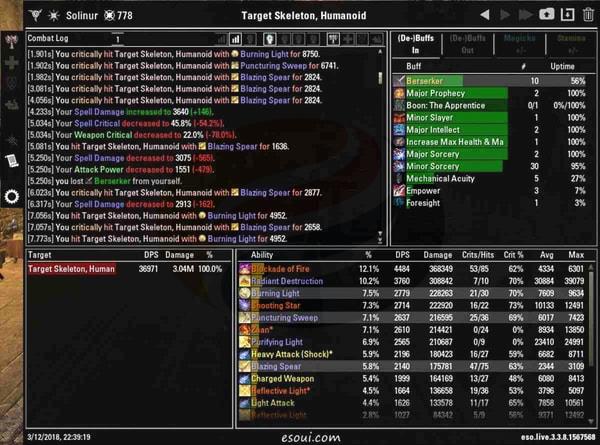
ESO Addon: Combat Metrics
Combat Metrics delivers comprehensive combat analytics that transform how you approach damage dealing and healing. Beyond basic DPS measurement, this addon provides detailed breakdowns of skill usage, critical hit rates, and damage distribution across different encounter phases. The real-time display shows immediate performance feedback, while detailed post-fight analysis reveals optimization opportunities most players overlook.
Advanced users leverage Combat Metrics to analyze uptime percentages for damage-over-time effects and buff maintenance. The addon’s light-attack weaving analysis specifically identifies timing issues that can cost 10-15% of your potential damage output. Many top-tier raiders consider this tool indispensable for progression content where every percentage of performance matters.
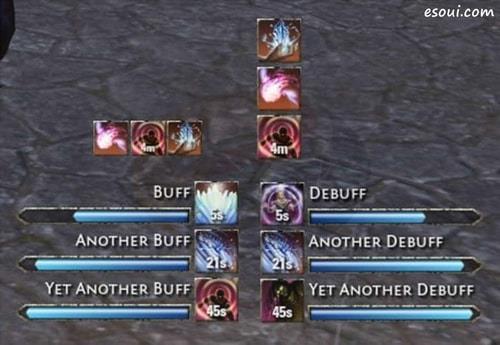
ESO Addon: Srendarr
Srendarr revolutionizes ability tracking with highly customizable displays for buffs, debuffs, and cooldowns. Unlike the default UI, Srendarr allows precise control over tracking duration, display size, grouping logic, and visual styling. You can create separate tracking windows for personal buffs, group buffs, enemy debuffs, and ground-based effects with independent positioning and scaling.
Pro tip: Set up different profile configurations for various content types—dungeon profiles might prioritize group buffs, while solo play profiles focus on personal rotation tracking. Common mistakes include overcrowding the display with unnecessary information; focus on tracking only the effects that directly impact your decision-making during combat.
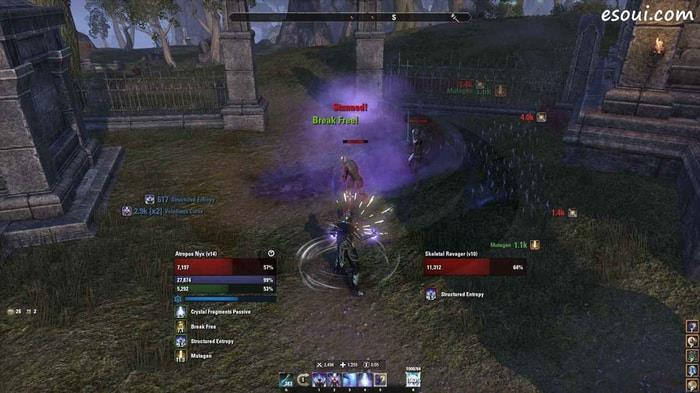
ESO Addon: Foundry Tactical Combat
Foundry Tactical Combat (FTC) provides a comprehensive UI transformation that goes far beyond simple buff tracking. The addon replaces default health, magicka, and stamina bars with more informative displays that include numerical values, percentages, and incoming heal predictions. FTC’s party frame enhancements display crucial information like active buffs, resource levels, and interrupt status for group members.
Advanced customization allows positioning combat text, damage statistics, and ability timers anywhere on screen. Many players combine FTC with Srendarr, using FTC for core UI elements and Srendarr for specialized effect tracking. Performance optimization involves disabling unnecessary modules to maintain frame rate stability during intensive combat situations.
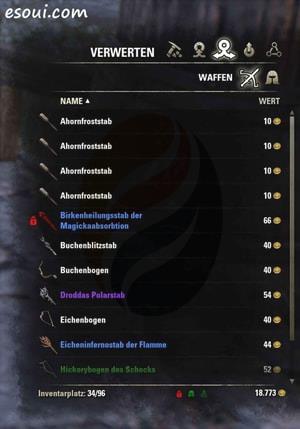
ESO Addon: FCO Item Saver
FCO Item Saver prevents costly mistakes by locking valuable gear from accidental deconstruction, selling, or research destruction. Beyond basic protection, the addon enables sophisticated inventory management through customizable markers that identify items for specific purposes—research, selling, deconstruction, or keeping.
The marking system uses color-coded icons and text labels to categorize items at a glance. Advanced users create complex filtering rules that automatically mark items based on traits, quality, set bonuses, or other criteria. This becomes particularly valuable when managing multiple characters with shared bank space, as markings persist across all characters viewing the same items.
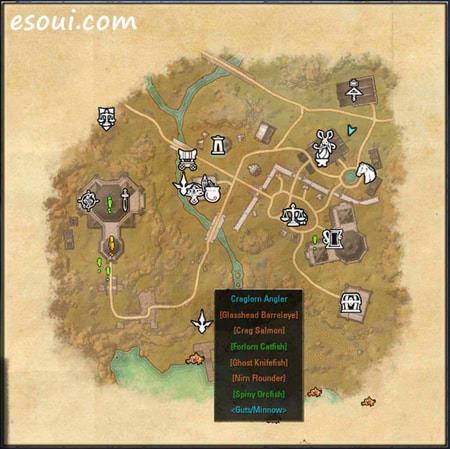
ESO Addon: Destinations
Destinations transforms map navigation by displaying comprehensive points of interest, including skyshards, lorebooks, quest givers, and achievement-related locations. The addon’s filter system allows precise control over which location types appear, enabling players to tailor their exploration experience based on current goals.
Strategic use involves enabling only necessary filters to avoid information overload. For completionists, Destinations provides efficient route planning for collecting all zone achievements. The addon significantly reduces time spent searching for specific NPCs or objectives, especially in densely detailed zones like Summerset or Vvardenfell where important locations can be easily missed.
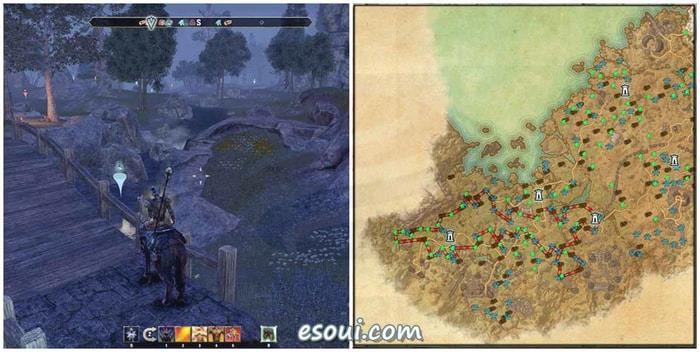
ESO Addon: Harvestmap
Harvestmap is indispensable for crafters and gold farmers, automatically recording resource node locations as you harvest them. This data enables creation of optimized farming routes that maximize material collection efficiency, particularly valuable for rare materials like Ancestor Silk or Rubedite Ore.
Advanced users combine Harvestmap with travel optimization addons to create ultra-efficient farming circuits. The addon supports filtering by resource type and displays timers for node respawns, allowing strategic planning of farming rotations across multiple zones.
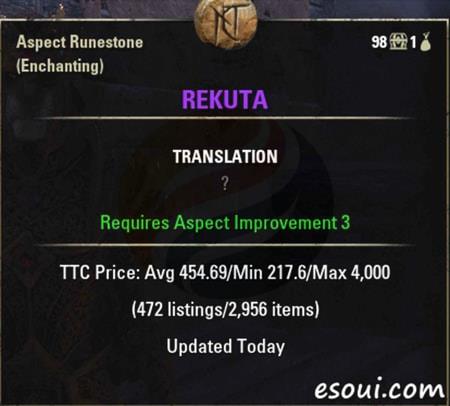
ESO Addon: Tamriel Trade Center
Tamriel Trade Center (TTC) provides real-time market data that revolutionizes trading decisions. The addon requires running an external client that syncs price data, providing accurate valuation information directly in your inventory and guild store interfaces.
Beyond simple price display, TTC offers historical pricing trends, average sale volumes, and competitor pricing analysis. This market intelligence enables strategic buying and selling decisions that can increase gold earnings by 30-50% compared to uninformed trading.
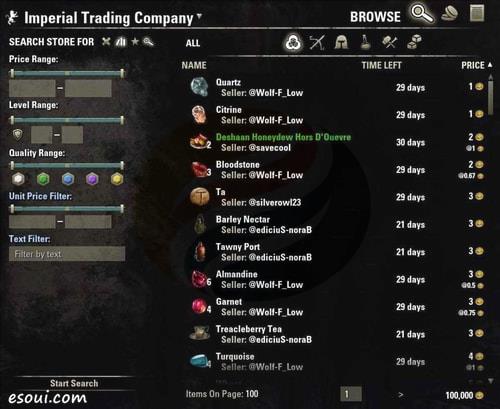
ESO Addon: AwesomeGuildStore
AwesomeGuildStore transforms the cumbersome default guild store interface into a powerful search and sales platform. The addon enables complex search filters, saved search patterns, and batch operations that dramatically reduce time spent on trading activities.
Key features include multi-criteria searching across all guild stores simultaneously, direct selling from bank or craft bag inventory, and price comparison tools across different sellers.
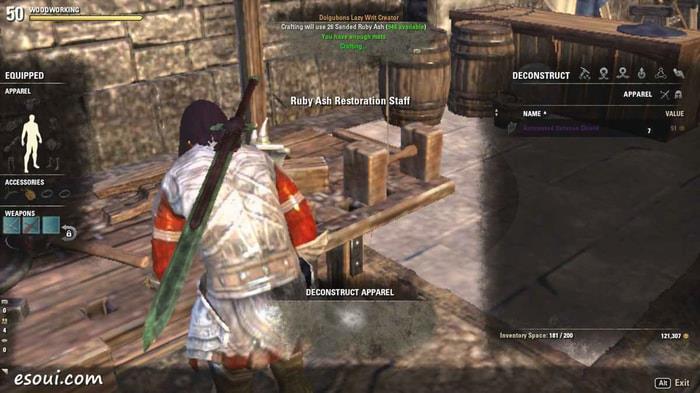
ESO Addon: Dolgubon’s Lazy Writ Crafter
Dolgubon’s Lazy Writ Crafter automates the tedious process of daily writ completion, handling everything from quest acceptance to item crafting and turn-in. The addon saves 5-10 minutes per character daily, making multi-character crafting actually feasible.
The automation includes smart material detection, automatic style stone usage when available, and batch processing for characters with multiple crafting disciplines.
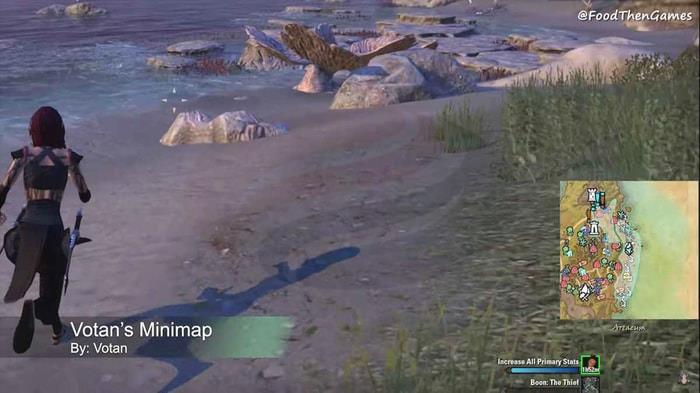
ESO Addon: Votan’s Minimap
Votan’s Minimap adds a persistent minimap that dramatically improves navigation efficiency. The customizable display shows points of interest, resource nodes, and group members without requiring constant map opening.
Configuration options include zoom levels, display size, rotation behavior, and filter settings. Many players consider this addon essential once they’ve experienced the quality of life improvement it provides.
Installing ESO addons requires using a manager application—Minion is the most popular and user-friendly option. After installing Minion, browse the available addons and install them directly through the interface. The manager handles updates and dependency management automatically.
Best practices include reading addon descriptions carefully, checking compatibility notes, and creating backup profiles before major updates. Performance-conscious players should monitor frame rates after installing new addons and disable any that cause significant performance degradation.
Common installation mistakes include forgetting to enable addons in-game through the addons menu or installing conflicting addons that provide similar functionality.
Action Checklist
- Download and install Minion addon manager from esoui.com
- Install Combat Metrics and configure basic DPS tracking window
- Set up Srendarr buff tracking with 2-3 key ability displays
- Configure FCO Item Saver to protect valuable gear
- Install Harvestmap and begin recording resource node locations
- Set up Tamriel Trade Center with external client for market data
- Create optimized farming routes using Harvestmap data
No reproduction without permission:OnLineGames Guides » 10 Best Addons You Should Have in ESO Essential ESO addons to optimize combat, crafting, and exploration for PC players