
Comprehensive guide to fix FIFA 23 anti-cheat unrecoverable error with proven solutions and prevention tips
Understanding the FIFA 23 Anti-Cheat Error
The highly anticipated FIFA 23 launch brought excitement to football gaming enthusiasts worldwide, but many PC gamers encountered a frustrating roadblock preventing them from enjoying EA Sports’ final FIFA title. The “Application Encountered An Unrecoverable Error” message specifically targets the anti-cheat system, creating a barrier that stops players from accessing the game entirely despite successful installation.
Following FIFA 23’s early access debut on September 27 and official October 1st release, overwhelmed EA servers struggled under the initial player load, exacerbating technical issues. When attempting to reconnect after server stabilization, numerous PC users found themselves blocked by the persistent anti-cheat error notification, effectively locking them out of their gaming experience.
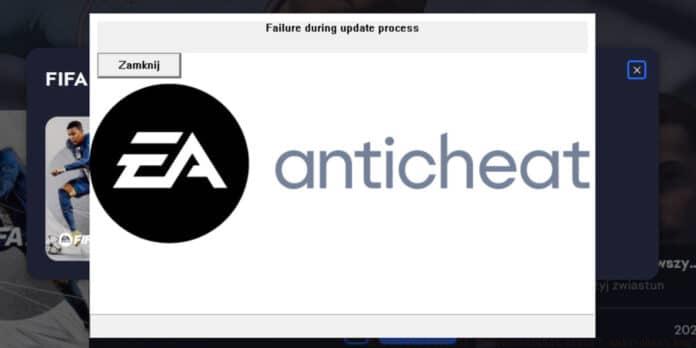
This critical error typically stems from software conflicts, permission issues, or corrupted anti-cheat installations. Understanding these underlying causes helps in applying the most effective solution strategy rather than randomly attempting fixes.
Immediate Quick Fixes
Before diving into complex troubleshooting, several straightforward solutions can resolve the anti-cheat error quickly. Begin by systematically disabling all active overlays, as these commonly interfere with the anti-cheat system’s operation.
Target these specific overlays for deactivation: Nvidia GeForce Experience overlay, AMD Software overlay, Origin/EA App in-game overlay, Discord overlay functionality, and Steam overlay features. Multiple user reports confirm that eliminating these overlay conflicts successfully resolves the unrecoverable error in many instances.
Another effective immediate solution involves proper application permissions. Completely close FIFA 23 and the EA/Origin client from your system tray and background processes. Then locate the Origin or EA App executable file, right-click it, and select “Run as administrator” to grant necessary system permissions. This approach often bypasses permission-related anti-cheat blocks.
Additionally, restart the EA background service through your system’s services manager or by rebooting your computer. This refreshes the anti-cheat service connection and clears temporary conflicts that might trigger the error message.
Advanced Anti-Cheat Reinstallation
When basic fixes prove insufficient, a complete anti-cheat reinstallation often resolves persistent unrecoverable errors. Steam users particularly reported success with this method, which addresses corrupted installations or missing components.
Follow this detailed step-by-step process for thorough anti-cheat reinstallation:
- Navigate precisely to this directory location: Steamlibrary>steamapps>common>FIFA 23>_Installer>EAAntiCheat – ensure you’re accessing the correct Steam library folder if you have multiple installations
- Locate the EA Anti-Cheat executable file within this directory – typically named “EAAntiCheat.Installer.exe”
- Launch the installer application and select the ‘FIFA 23 (Installed)’ option from the available games list
- Choose the Uninstall option first to completely remove the current anti-cheat installation, then run the installer again to perform a clean reinstallation
- After successful reinstallation, restart your computer before launching FIFA 23 to ensure all components load correctly
Post-reinstallation, verify the anti-cheat service is running in your system processes and that no security software is blocking its operation. Some antivirus programs may quarantine anti-cheat components mistakenly identified as suspicious.
Proactive Prevention Strategies
Beyond immediate fixes, implementing preventive measures reduces future anti-cheat error occurrences. Regularly update your graphics drivers, as outdated GPU software often conflicts with anti-cheat systems. Both Nvidia and AMD release game-ready drivers specifically optimized for new titles like FIFA 23.
Manage software conflicts proactively by creating a gaming profile in your security software that excludes FIFA 23 and its anti-cheat components from aggressive scanning. Additionally, avoid running bandwidth-intensive applications during gameplay that might interrupt the anti-cheat’s communication with EA servers.
Perform routine maintenance on your FIFA 23 installation by verifying game file integrity through your platform (Steam or EA App). This process identifies and replaces corrupted files before they cause significant issues. Schedule monthly anti-cheat reinstalls if you experience frequent updates or system changes.
For persistent issues, consider creating a system restore point before major game updates, enabling quick recovery if new patches introduce compatibility problems with your specific hardware or software configuration.
No reproduction without permission:OnLineGames Guides » How to fix FIFA 23 “unrecoverable error” anti-cheat bug? Comprehensive guide to fix FIFA 23 anti-cheat unrecoverable error with proven solutions and prevention tips