
TL;DR
- Path of Building is essential for testing PoE builds before investing in-game resources
- Three import methods: direct character, paste bin link, or manual code copying
- Configuration tab requires careful setup for accurate damage calculations
- Community fork provides critical improvements for impale, shock, and elusive mechanics
- Always backup manifest.xml when switching between standard and fork versions
Greetings, exiles! This comprehensive Path of Building Guide for Beginners comes from the experienced team at professional PoE Shop MmoGah. We’ll guide you through installation, import/export workflows, and advanced configuration techniques.
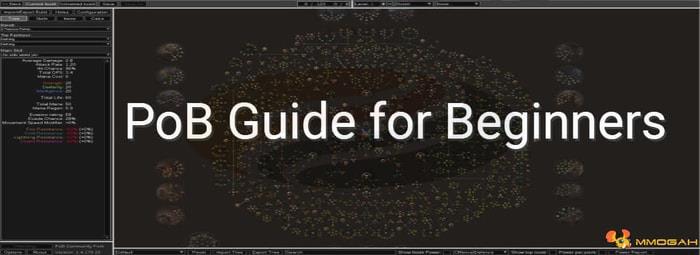
Path of Building (commonly abbreviated as PoB) serves as the definitive third-party simulation platform for Path of Exile character planning. This powerful calculation tool enables you to import existing characters, passive skill trees, and PoE Items from live servers, or design and save custom builds without risking currency in-game. The database contains extensive build templates for most equipment and modifiers, allowing sophisticated item crafting simulations.
Pro Tip: Unlike in-game skill trees, PoB lets you experiment with different passive path combinations instantly, saving hours of regretful respec orbs.
1. Download and Installation Steps
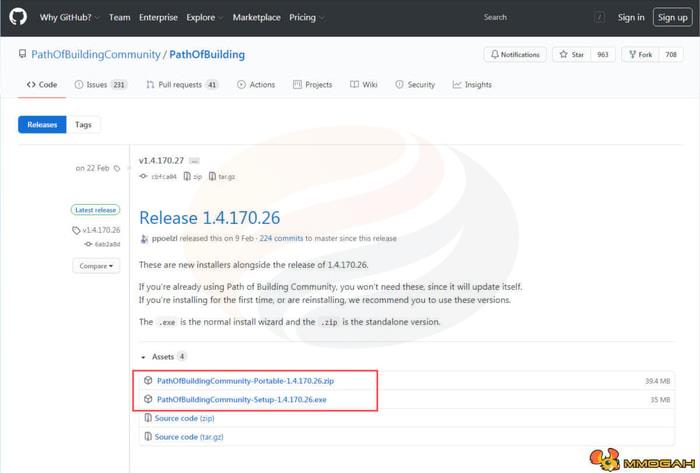
Begin by downloading the application from the official GitHub repository: https://github.com/PathOfBuildingCommunity/PathOfBuilding/releases. Launch the installer and allow automatic updates to complete—this initial setup typically requires 2-3 minutes depending on your connection speed.
Upon first launch, if you don’t immediately see the passive tree interface with “Unnamed Build” displayed top-left, click the “New” button to initialize your first project. This interface allows immediate experimentation with ascendancy classes, skill tree paths, and equipment combinations.
Common Mistake: Many new users overlook the update process, resulting in missing features or calculation inaccuracies.
2. Comprehensive Import/Export Workflows
When importing builds from paste bin links, direct code, or live characters, always save your current project first. Navigate to Import/Export in the top-left menu, where you’ll find three distinct import methodologies:
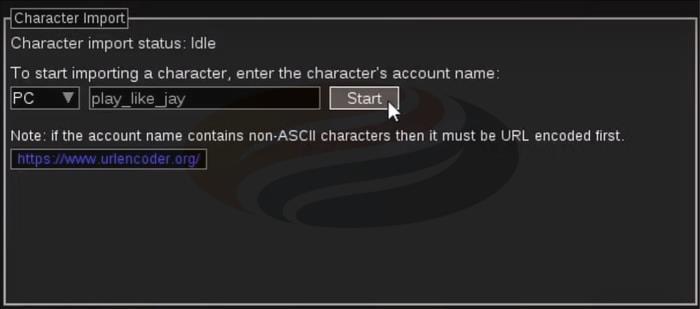
Method One: Live Character Import requires knowing the account name, clicking Start, selecting from the character list, and choosing which data to import.
Method Two: Paste Bin Link Import represents the most common approach. Simply copy the link (no clicking required), select “Import from Paste Bin” in PoB, paste the URL, and confirm import twice for verification.
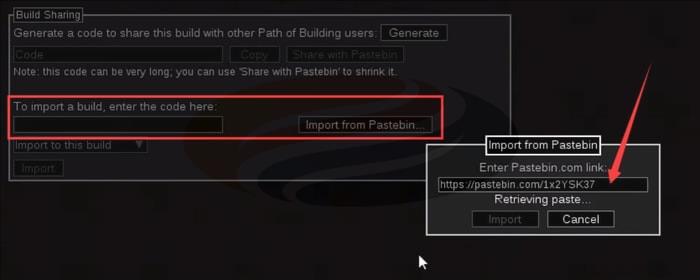
Method Three: Manual Code Import serves as your fallback option. When link imports fail, open the URL in a browser, copy all paste bin content, return to PoB, paste the code manually, and import.
For exporting creations, revisit Import-Export and click “Generate.” You can either copy the extensive code (recommended only during paste bin outages) or use “Share with Paste Bin” to create distributable links.
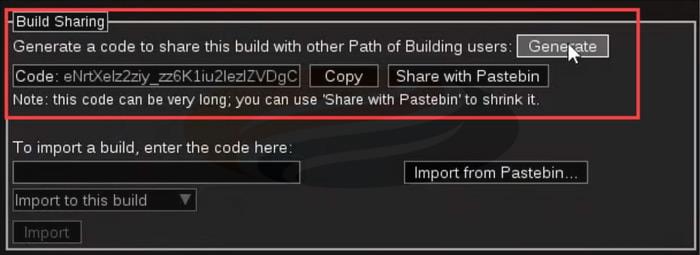
Advanced Strategy: Maintain separate builds for different content types—bossing versus mapping setups often require completely different configurations.
3. Mastering PoB Settings and Configuration
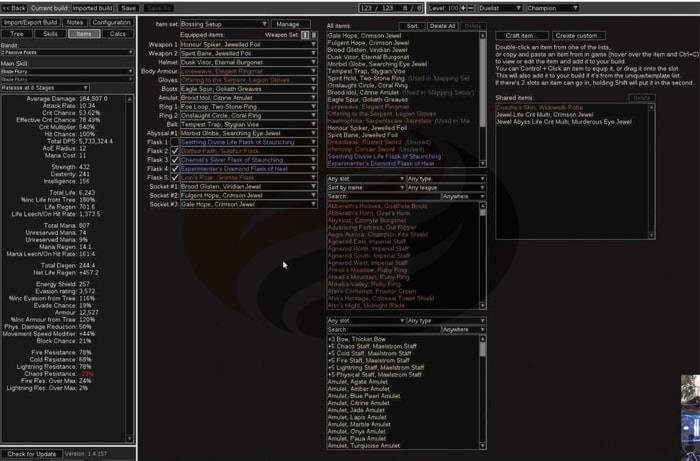
Once you’ve loaded a build, the interface reveals passive trees, skill setups, and equipment slots. Above equipped items, the Item Sets management feature enables multiple gear configurations for varied gameplay scenarios—though underutilized by most players, it’s invaluable for builds requiring different equipment for boss encounters versus clearing maps.
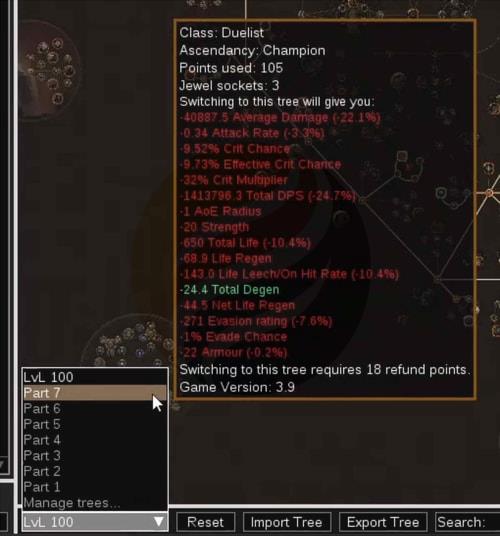
Examining the passive tree reveals a dropdown menu bottom-left for selecting alternate trees without gear changes. I utilize this extensively to demonstrate leveling progression paths, and it proves equally useful for testing different passive routes without duplicating entire builds.
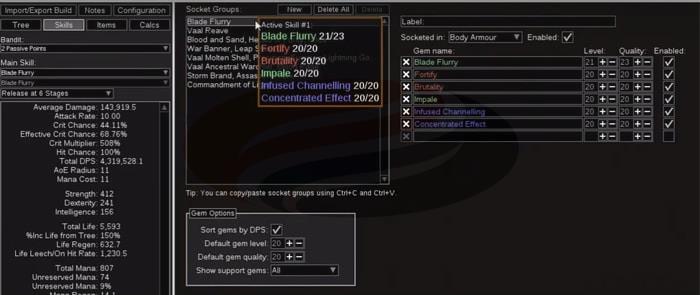
The skills window displays all active and passive skills with their links and socket locations. Customizable labels facilitate note-taking and build clarification.
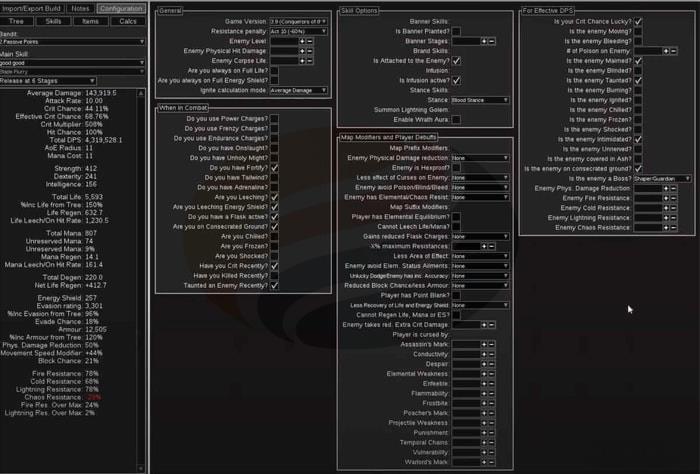
The Configuration tab presents significant challenges for many users. Imported builds typically come pre-configured, so avoid adjustments unless you thoroughly understand their function and in-game accuracy.
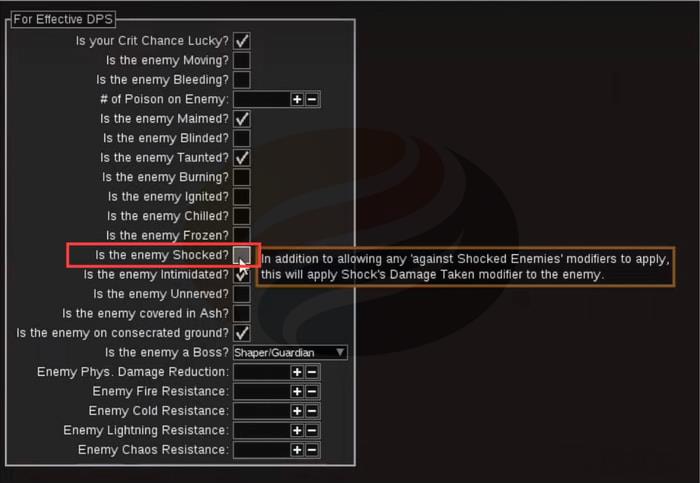
For custom builds, I configure parameters to simulate boss encounters—single targets with elevated resistances. For instance, I designate enemies as Shaper or Guardians, and despite builds generating Frenzy Charges on kill, I exclude them since they’re unreliable during solo boss fights without minions. Your build focus (bossing versus mapping) determines optimal configuration settings.
Critical Warning: Never enable “enemy is shocked” by default—even if your build applies shock, this typically calculates maximum shock effect rather than realistic averages.
4. Enhanced Functionality with Community Fork
Standard Path of Building contains numerous calculation limitations, but the community-developed fork (available on GitHub) introduces substantial improvements and highly requested features. Implementation is straightforward—consult Play Like Jay’s YouTube channel for visual installation guidance.
Prerequisites: Ensure standard PoB is installed and operational. Navigate to C:ProgramDataPath of Building or your installation directory, locate “manifest.xml,” create a backup, then open with a text editor. Near the file’s beginning, locate source lines including one with “part equals program”—modify the segment reading “openarl” to “pathofbuildingcommunity.” Save changes and restart PoB normally.
The application will subsequently download fork-related updates (approximately 1-2 minute process). When update notifications appear, click and update. Immediate improvements include accurate calculations for mechanics like impale, shock effectiveness, and elusive bonuses.
Compatibility Note: Importing builds created with the fork into standard PoB sometimes creates issues. If uncertain about recipients’ fork status, revert manifest.xml modifications to reinstall standard PoB, open builds there, and generate fresh paste bins. This underscores why maintaining original manifest backups facilitates rapid switching between versions.
The enhanced version provides superior statistical accuracy, particularly for complex damage scaling mechanics that standard PoB miscalculates.
Congratulations! You’ve now mastered Path of Building’s core functionality. Visit MmoGah for additional valuable PoE Guides, and purchase Cheap and Safe Exalted Orbs and Chaos Orbs securely. Special acknowledgment to Jay for his foundational PoB guidance.
Action Checklist
- Download PoB from GitHub releases and complete installation
- Create your first build and experiment with passive trees
- Practice all three import methods with sample builds
- Configure realistic boss encounter settings in Configuration tab
- Install community fork for accurate impale and shock calculations
- Create backup of manifest.xml for version switching
No reproduction without permission:OnLineGames Guides » Path of Exile: PoB Guide for Beginners Master Path of Building installation, import/export, and advanced configuration for optimal PoE builds